Stock control
Cannabis inventory management, branch by branch.
Stock in CannyPos belongs to a shop, not to a company. Ring a sale up at the counter and the count drops on every till in that shop the same second. Your other branch carries on with its own numbers, untouched.
- Stock held per branch, never pooled into one company figure
- A sale moves the count instantly, on every device in that shop
- Low-stock alerts while there is still time to order
- Stock takes that show the variance, not just a new number
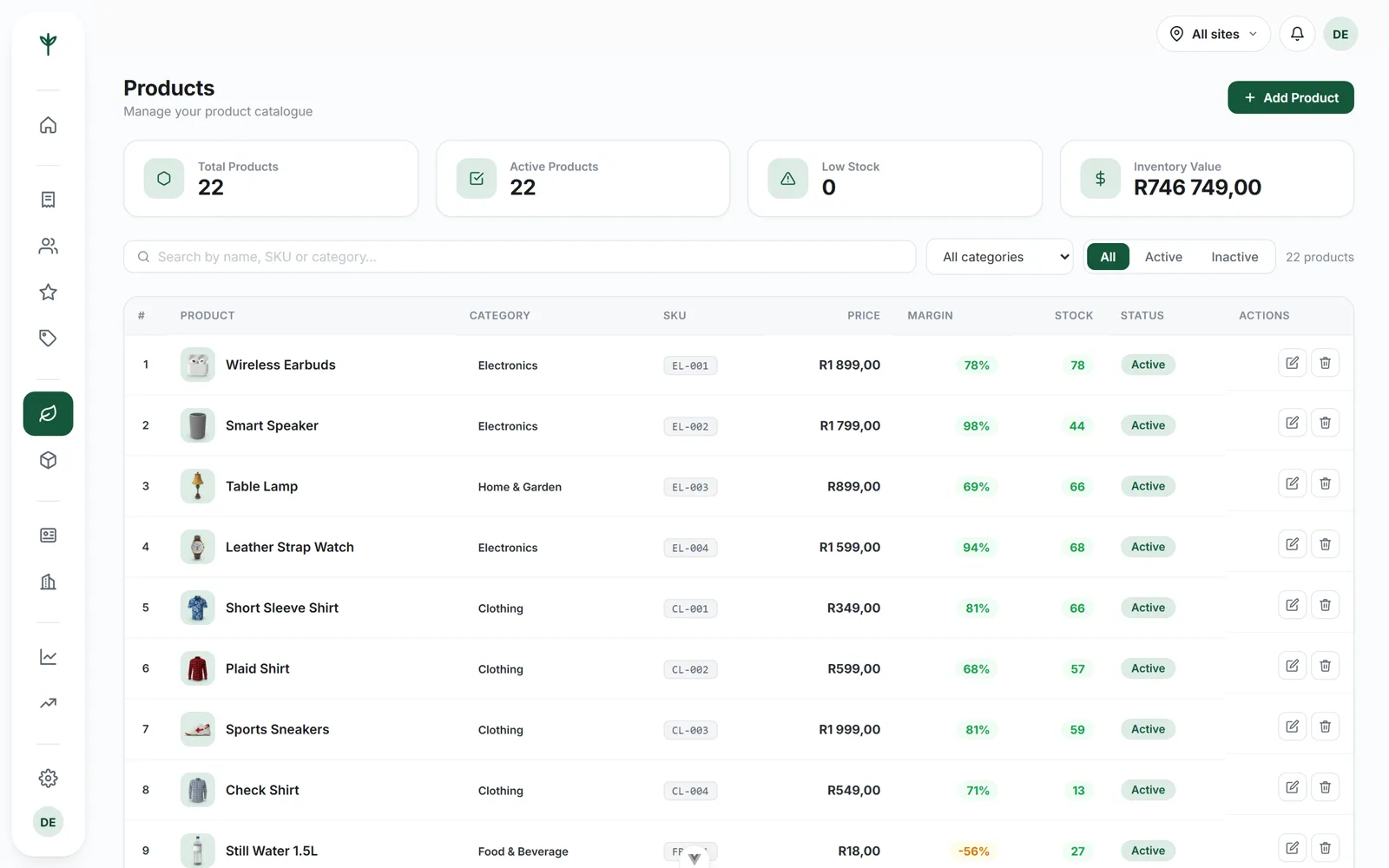
Live counts
The count changes before the customer has taken the bag.
There is no overnight job and nothing to refresh. When a cashier scans a line and takes payment, CannyPos writes the stock movement with the sale. The second till, the tablet in the back room and the console on your phone are all reading the same number moments later.
That holds even when the line goes down. The till carries on trading offline, queues each sale on the device and syncs the moment the connection returns, so the stock movements arrive in the order they were rung up. Nothing is dropped and nothing is counted twice. The point of sale page explains how the till behaves without a connection.
- Sales, returns and voids all move stock, and every void is recorded with who did it, when and why.
- Barcode scanning at the counter, so the line that leaves the shelf is the line that leaves the system.
- Free items need a manager PIN, and the stock still moves, so giveaways never quietly bend the count.
- One catalogue shared with the online store we build for you, so the website cannot sell what the counter just sold.
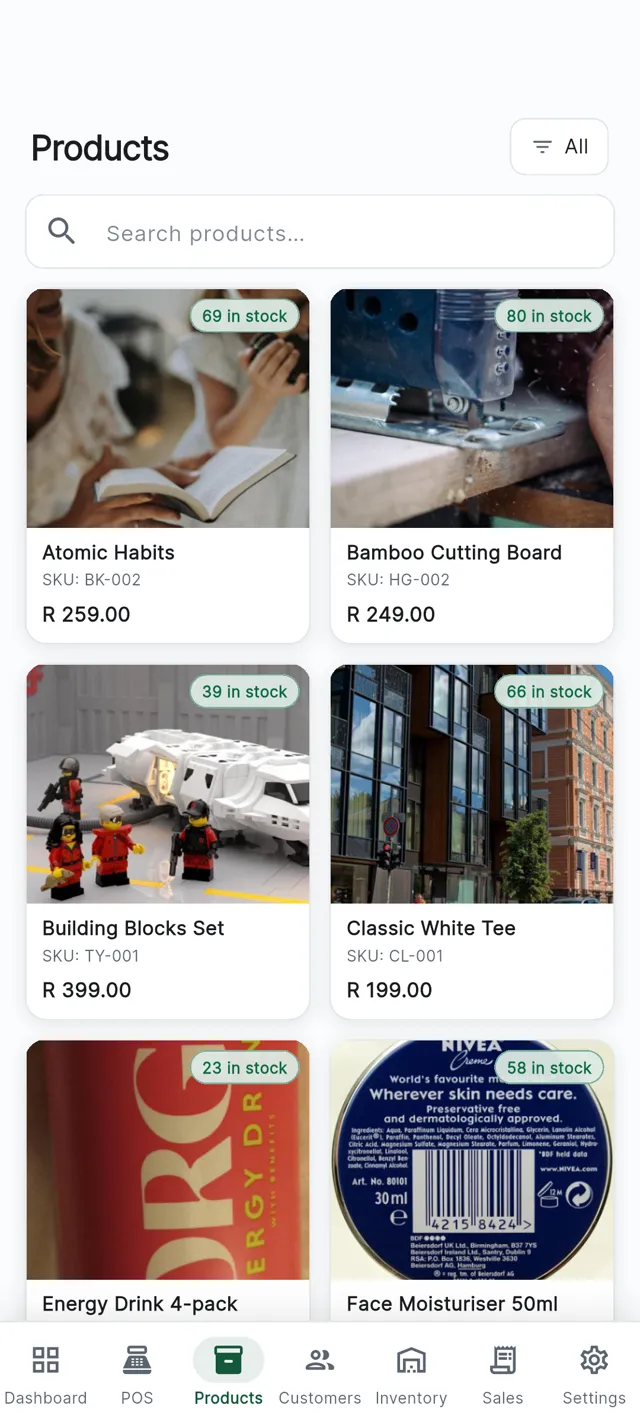
Every till at once
Sell it on one till and the others already know.
Three tills on the same counter, one shelf between them. Ring something up on any of them and watch the other two catch up.
Market Street · Pre-rolls, 5 pack
Tap a till to sell one.Per-branch stock
Why stock belongs to the shop, not to the business.
Plenty of systems keep one figure for the whole company. That is fine until Saturday, when one shop is three deep at the counter and the other is quiet. A single pooled number tells you there are forty units left. It does not tell you that thirty-eight of them are in the wrong shop.
CannyPos keeps a separate count in each branch. The busy shop empties its own shelf, raises its own low-stock alert and gets reordered on its own numbers, while the quiet shop sits where it is. When you decide to even things out you record a transfer, both counts change, and the movement history on each side shows who moved what and when.
Alerts in the right shop
A low-stock warning is raised by the branch that is actually running out, not by an average across all of them.
Transfers you can account for
Units leave one branch and land in another as a recorded movement, with a paper trail on both sides.
Ordering on real numbers
You buy for the shop that is selling, so the slow branch stops absorbing stock it will never shift.
One product list
Products and prices are set once for the business. Only the quantity on hand is kept per branch.
The stock room
Everything that touches a count, written down
Stock only stays honest if every change is recorded. In CannyPos, all of them are.
Low-stock alerts
Set the level a product should never drop below and CannyPos tells you when it does, while there is still time to order.
Stock takes with variance
Count the shelf, enter what is actually there, and see the difference against the system before you commit it. The variance is the point, not the new number.
Movement history
Receiving, adjustments, transfers and sales in one list per product, so a count you do not believe can be traced back.
Receiving
Book a delivery in against the branch that received it, so the count goes up where the boxes actually landed.
Adjustments with a reason
Damage, testing and write-offs are entered as adjustments rather than quietly retyped, so the loss stays visible.
Stock in your reports
Every movement feeds the stock reports, exportable to Excel and PDF for your accountant.
See the reportsOpen a stock take for the branch
You are counting one shop, so the list you work through is that shop's list.
Enter what is actually on the shelf
Work down the shelf and type the real figure. You are recording the count, not correcting the system yet.
Read the variance
CannyPos shows the difference line by line before anything changes, so a mis-count and a genuine loss are told apart while you are still standing there.
Commit, and keep the record
The counts update and the stock take stays in the history with who did it and when.
Stock takes
A count you can finish before the doors open.
A stock take is only useful if it tells you something. Typing the new figure over the old one hides exactly the information you were counting for. CannyPos keeps both and shows you the gap before you commit.
Because stock is per branch, one shop can count on a Tuesday morning without touching the other shop's numbers or holding up trade anywhere else.
Where the variance usually comes from
Deliveries booked in against the wrong branch, giveaways that never went through the till, and returns handled by hand. All three become visible once every movement is recorded.
Questions
Stock control, asked plainly
Does stock update on every till at the same time?
Yes. The movement is written with the sale, so every device in that branch sees the new count a moment later. There is no overnight job and no refresh button to press.
What happens to stock when the internet drops?
The till keeps trading and queues each sale on the device. When the line returns the sales sync and the stock movements arrive with them, in the order they were rung up.
Can I move stock between branches?
Yes. A transfer takes units out of one branch and adds them to another, and both sides appear in the movement history with who moved what and when.
Does the online store use the same stock?
Yes. The online store we build for you runs off the same catalogue, prices and stock as the shop, so the website cannot sell something the counter has just sold.
Bring your product list. We will load it.
Fifteen minutes on your own stock, in your own branches. Or read everything CannyPos does first.