Multi-store
Multi-store point of sale for one business with many branches.
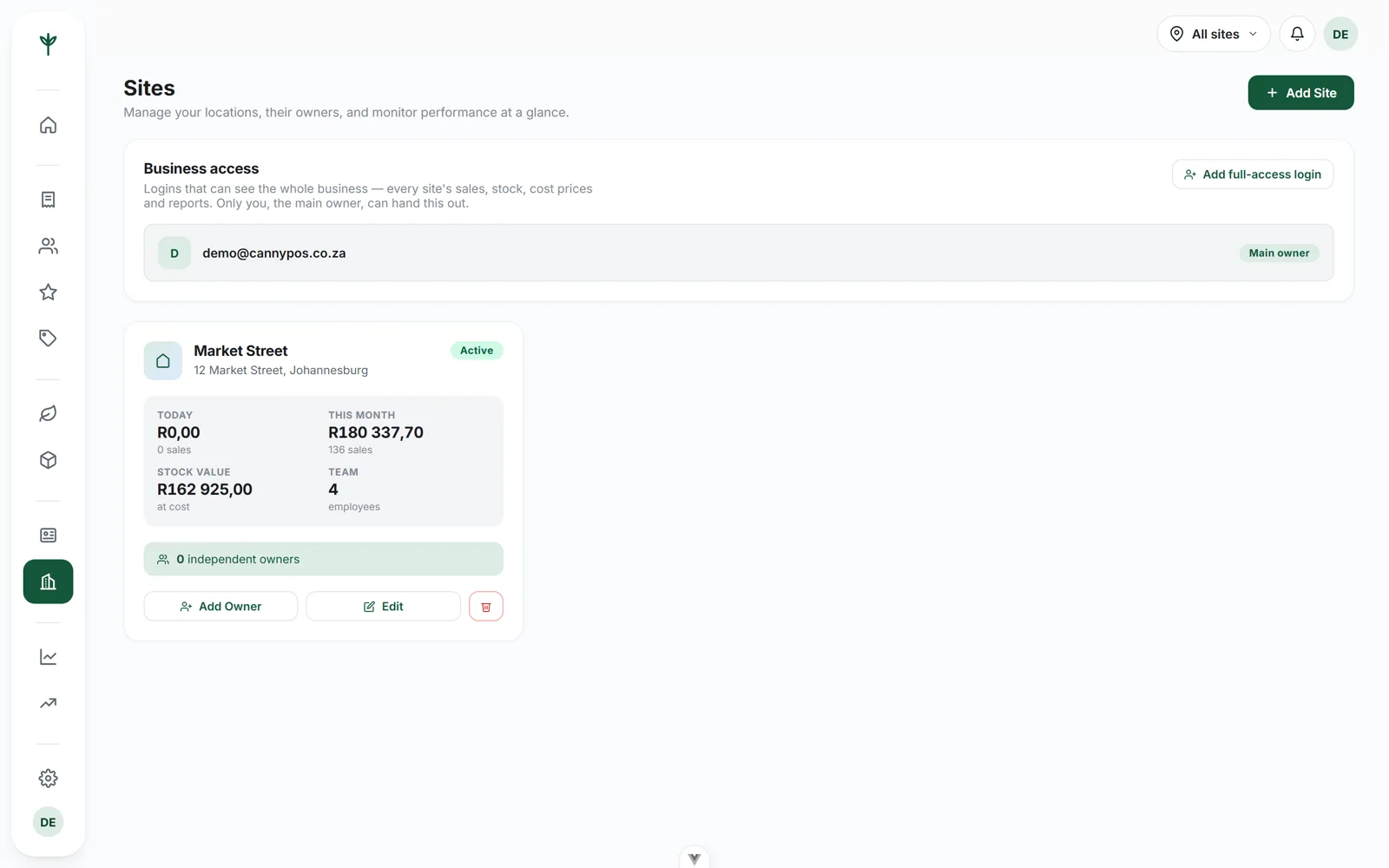
Each shop keeps its own stock, staff and takings. You keep one dashboard over all of them, and one place to decide who sees what.
- Stock, staff and takings tracked per branch
- One owner dashboard across every shop you run
- Extra full-access logins for partners and directors
- Branch logins that only ever see their own store
One business, many shops
Each branch stands on its own, and still adds up.
A second shop is not a bigger version of the first. It has its own shelf, its own staff and its own quiet Tuesdays. A system that averages all of that into one company figure hides exactly the differences you opened the second shop to find.
CannyPos keeps the branches separate where it matters and joined where it helps. Stock and takings are per branch; products, prices and loyalty rules are set once for the business. You get the comparison without the double entry.
Stock per branch
A sale moves the count in the shop it happened in. Transfers are recorded on both sides.
Staff per branch
Cashiers sign in with a four-digit PIN, and the sale carries their name into the reports.
Takings per branch
Each shop cashes up on its own figures, so a short drawer belongs to a day and a branch.
One catalogue
Products, prices and loyalty rules are shared, so an item costs the same in every shop.
Who sees what
Access is handed out by the owner, and only by the owner
This is the part most systems get lazy about. Getting it right is what lets you let other people in.
The main owner account
The account the business is created with. It sees every branch, and it is the only one that can hand access to anybody else.
Extra full-access logins
For a partner, a director or whoever runs the business while you are away. They see every branch and do the work under their own login.
Branch logins
A manager at one shop gets that shop: its stock, its staff, its takings. The other branches are not hidden behind a warning, they are simply not there.
A login can run the business. It cannot hand the business on.
Here is the rule worth understanding before you give anybody a password. A granted login, even a full-access one, can do the day-to-day work: products, prices, stock, staff, reports, the lot. What it cannot do is create another login, change one, or take one away.
Only the main owner account does that. So a partner you brought in cannot quietly add two more people you have never met, and a branch manager cannot make a second login for a friend. If a working relationship goes wrong, the person who owns the business is still the one holding the keys.
It also means you can be generous with access without being reckless. Most owners are too cautious with logins precisely because handing one out usually means handing out everything.
- Everyone has their own login. No shared owner password, so the audit trail means something.
- Access is revocable. The owner takes a login away the same way it was given.
- The till is separate. Cashiers sign in with a four-digit PIN and a role, and never touch the console.
- Voids are attributed. Who voided what, when and why, whichever branch it came from.
Why a franchise or a partnership cares
Two directors can both work in the system without sharing a password, a branch partner can run their shop without seeing the group's numbers, and the ability to let people in stays in one pair of hands.
Try it
Pick a person and see their view of the business.
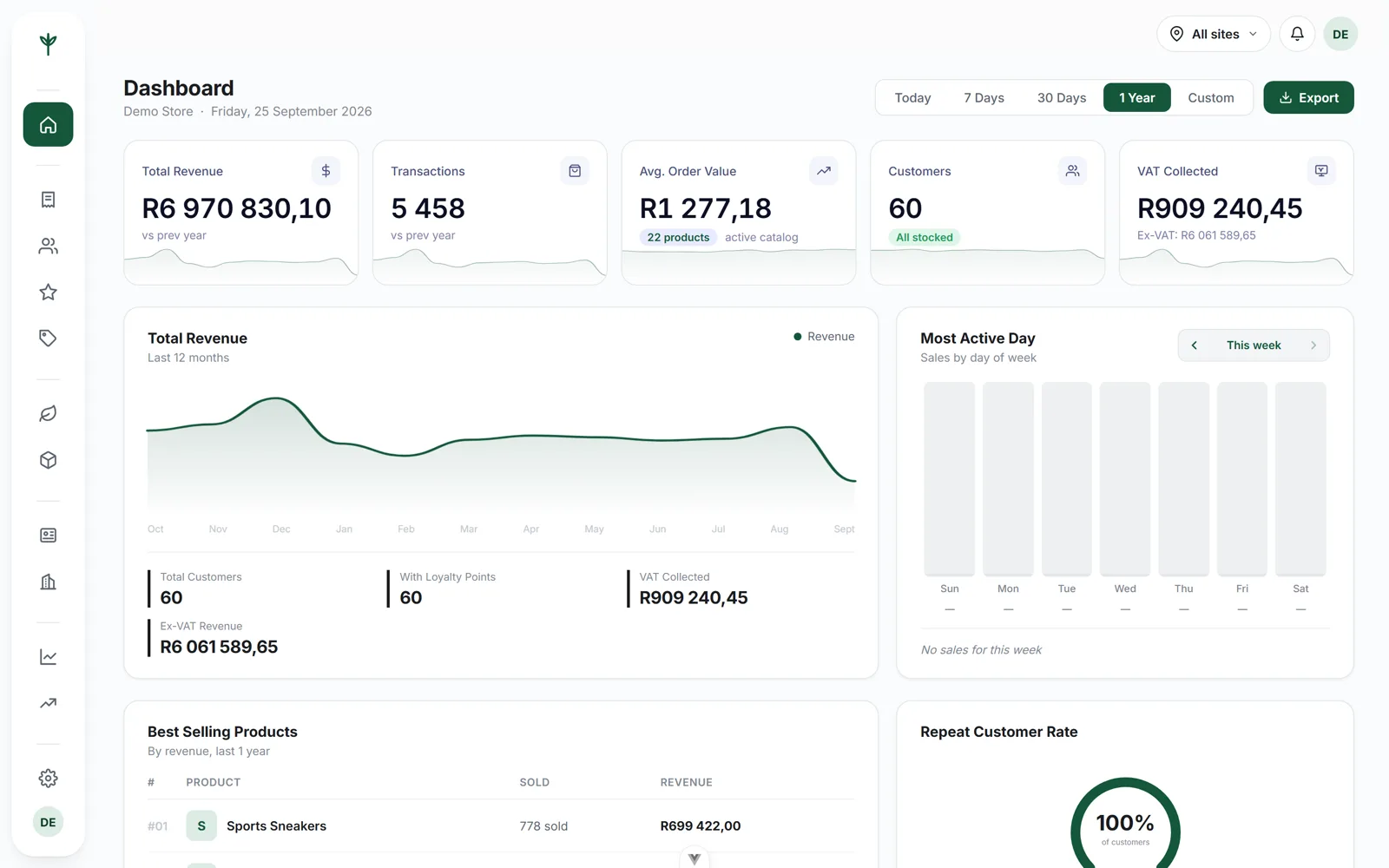
The primary owner sees every branch, and is the only person who can hand out access or move a branch to somebody else.
The owner's view
Compare the shops on the same screen.
The dashboard runs across every branch or drops into one with a single switch, and the reports do the same. That is how you find out that one shop's average basket is behind the other's, or that a line flying out of one shop has not moved in the other for a month.
Those are answerable problems: a staff member not asking the second question, stock sitting in the wrong shop, a discount used more freely in one branch. You only see any of it if the branches are kept apart. The reporting page goes through what each report shows.
Changes that land everywhere
Put the price up once, not once per shop.
Your supplier moves a cost and the shelf price has to follow. Change it in the console and every till in every branch picks it up, along with the online store we build for you. Nobody sells at the old price for a week because they were never told.
The same goes for a new product, a category, a discount or a change to the loyalty rules. Only the quantity on hand stays local to each shop, because that is the one thing that genuinely differs.
Change it in the console
One product, one price, one edit, from wherever you happen to be.
Every till follows
The new price is what the next customer is charged, at every counter.
The online store follows too
The storefront shares the same catalogue, so the website is never quietly cheaper.
The reports know when it changed
Sales stay attached to what was actually charged, so last month still reads correctly.
Questions
Running more than one shop
Can my business partner have their own login?
Yes. The main owner can create extra full-access logins for partners or directors, so nobody has to share a password to see the whole business.
Can a branch manager see the other branch's takings?
No. A branch login only ever sees its own store: that shop's stock, staff and takings. The other branches are not shown to it at all.
Can someone I give access to lock me out?
No. Handing out access stays with the main owner account. A granted login can run the business day to day, but it cannot create, change or remove other logins.
Can I change a price in every branch at once?
Yes. Products and prices are set once for the business, so a change in the console reaches every till and the online store. Only the stock count is held per branch.
Bring the second shop onto the same system.
Fifteen minutes, your branches, your questions. Or read everything CannyPos does.