Point of sale
A cannabis POS system built for the counter.
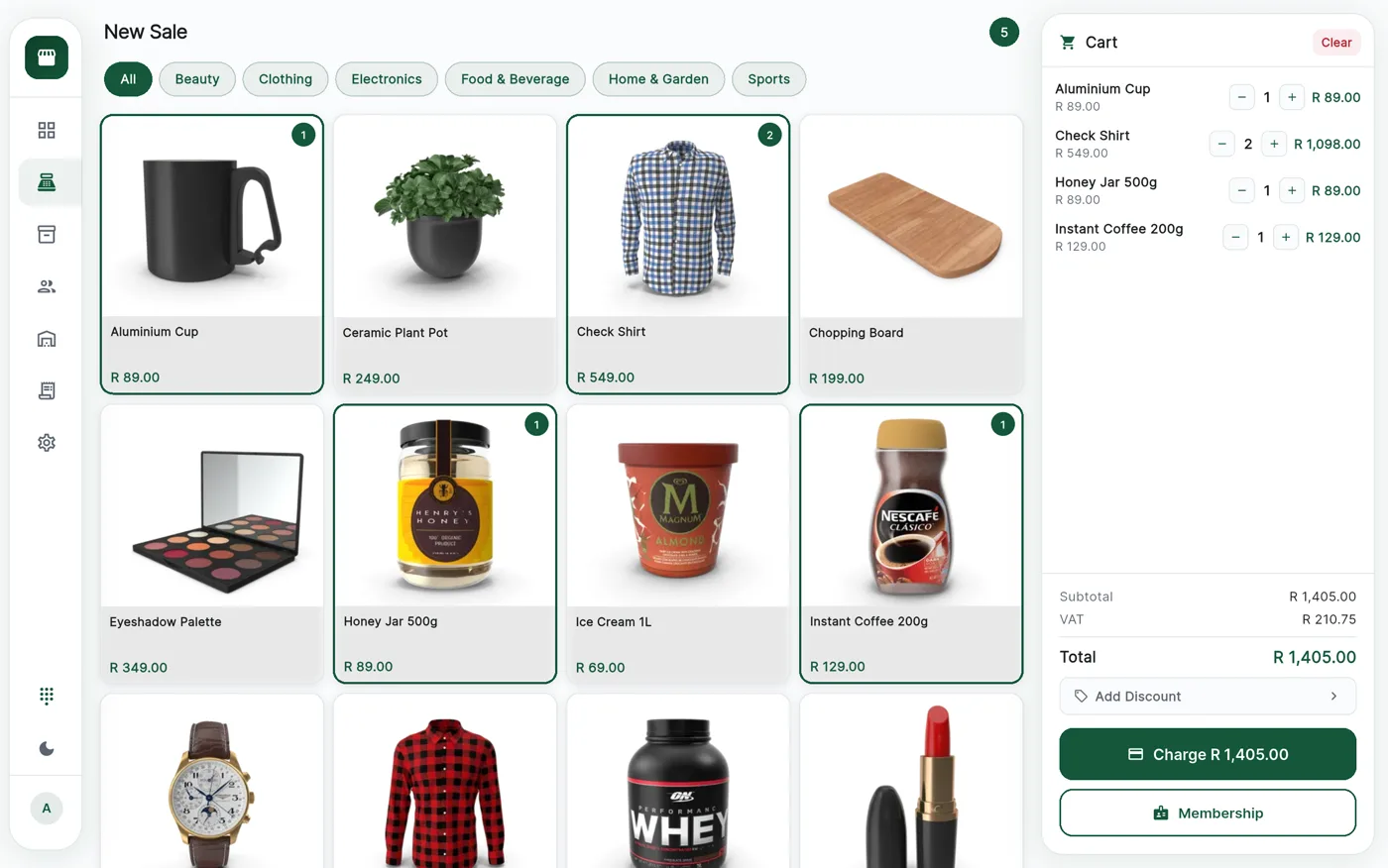
CannyPos is the point of sale for dispensaries and cannabis shops across South Africa. It runs on an Android phone or tablet, rings up a sale in three taps, and carries on when the line goes down.
- Tap-to-add grid, or scan the barcode
- Cash, card, EFT and split on one screen
- A four-digit PIN per cashier
- Keeps selling offline, syncs on its own
The counter
A sale in three taps, every time
The screen only ever asks one thing at a time, so a new cashier is useful in about ten minutes and a Saturday queue does not back up.
Watch one go through
- Tap the productOr scan the barcode.
- Check the cartQuantity, discount, member.
- Take the paymentCash, card, EFT or split.
- Print the receiptStock and VAT already done.
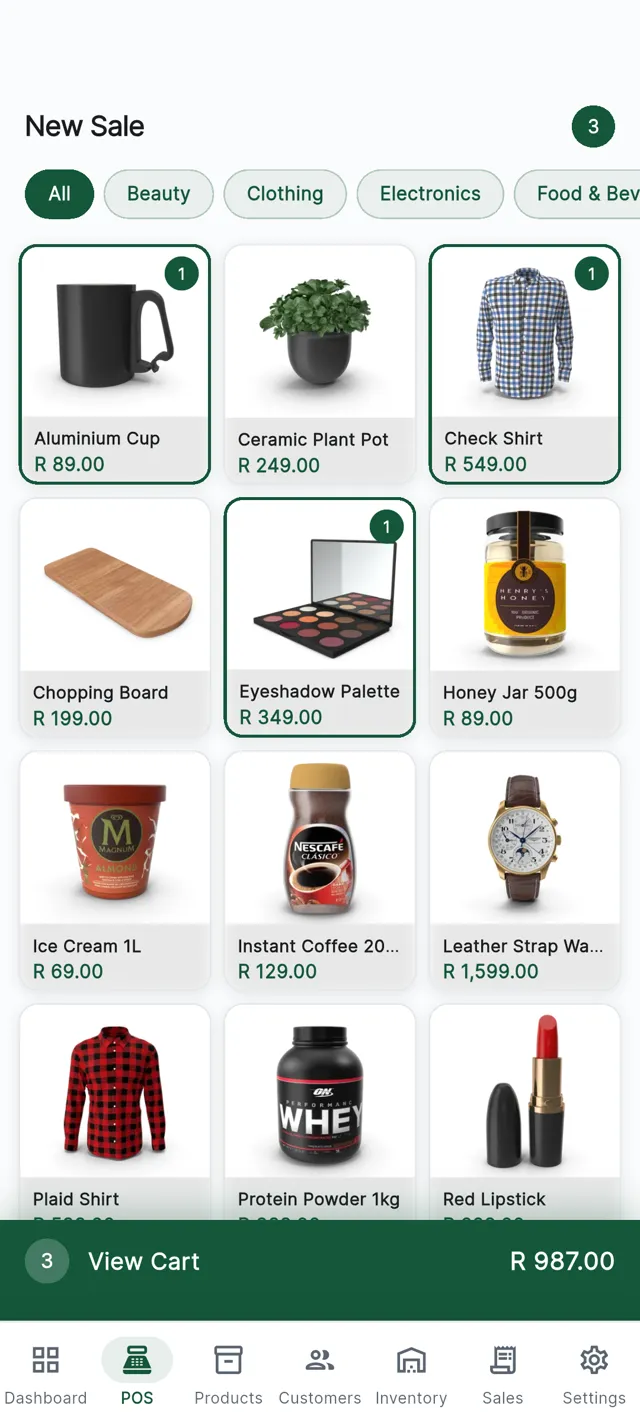
1. Tap the product
Categories across the top, your sellers as tiles underneath. Tap to add, tap again for a second gram, or scan the barcode and it lands in the cart on its own.
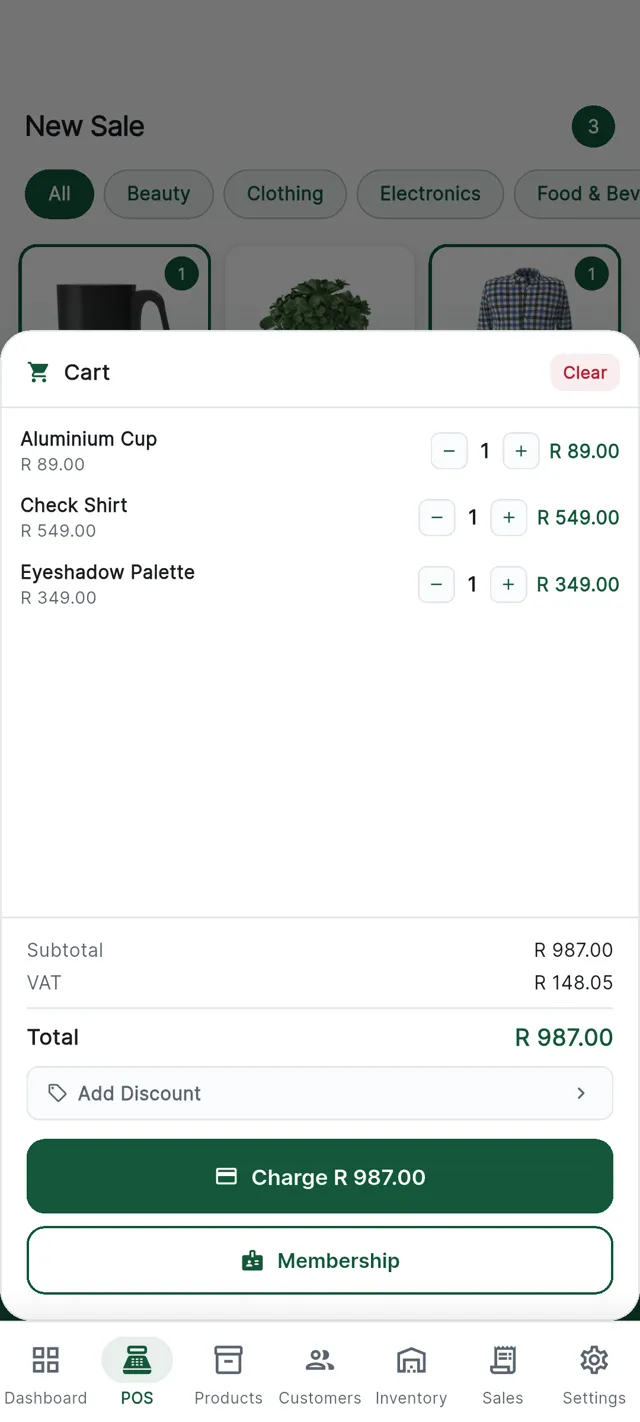
2. Check the cart
Quantities up and down, a line discount, a custom amount for something not on the list. The total updates as you go, VAT included.
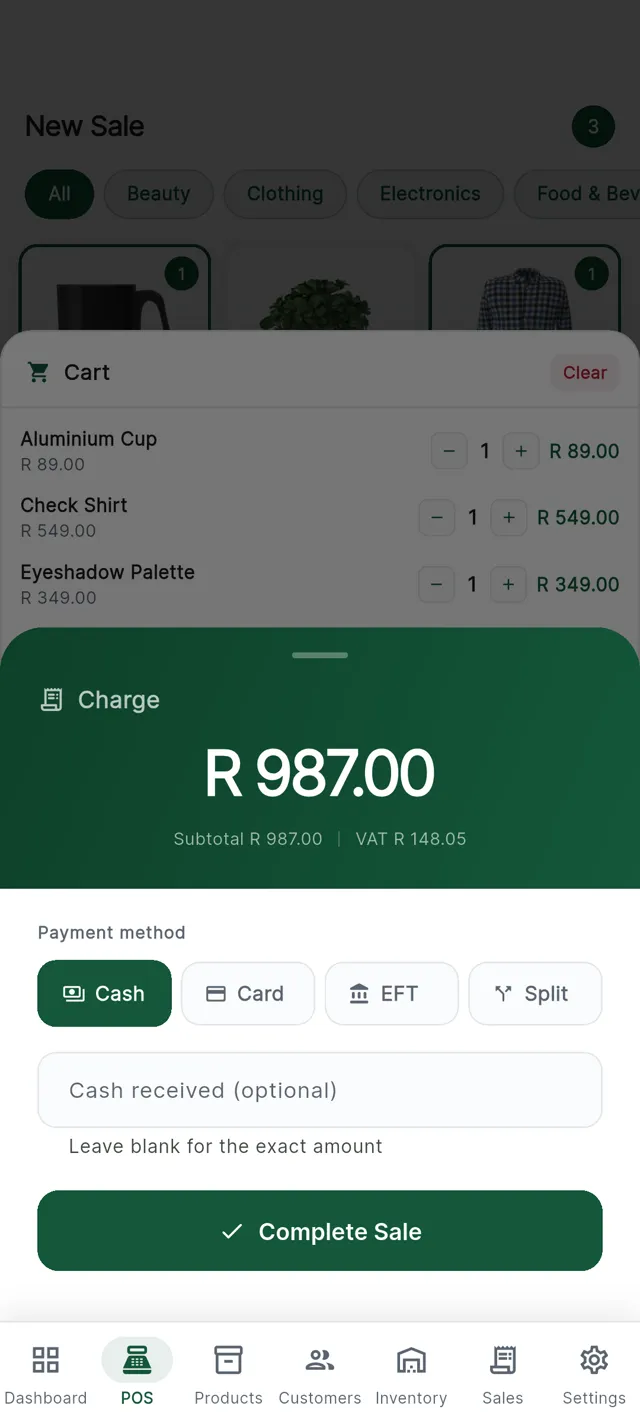
3. Take the money
Cash, card, EFT, or a split across two. Type in what the customer handed over and the till works out the change.
Taking the money
Cash, card, EFT, or a bit of both.
Most shops take more than one kind of payment in a day, and some customers want one basket split across two.
The card machine is already integrated. The till sends the amount across, the customer taps, the machine confirms, and only then is the sale written. Nobody retypes a total into a separate terminal.
Cash
Enter what the customer handed over and the change is worked out for you. The amount tendered stays on the sale for cash-up.
Card machine
The amount goes from the till to the terminal. The customer taps. The sale only lands once the machine says yes.
EFT
Record an instant transfer against the sale like any other tender, so the day-end shows what came in by which route.
Split
Part on cash, the rest on the card machine. The till tracks what is still owed.
Staff and permissions
Every cashier has a PIN. Every override has a name.
Staff sign in with a four-digit PIN, so the till always knows who rang up what. No shared password taped under the counter.
- Discounts behind a manager PIN. A cashier can ask for a discount or a free item; only a manager can approve it.
- Voids on the record. Who voided the sale, when, and the reason given.
- Handover in seconds. The sale history follows the person, not the device.
Cashier
Sells, attaches a member, prints or emails a receipt.
Supervisor
All of that, plus the approvals that keep a busy shift moving.
Manager
Discounts, free items, voids and the day-end cash-up.
Admin
Products, pricing, staff and settings, from the console.
On a busy day
The small things a counter lives on
The same product list feeds the online store we build for you, so a price change at the counter changes everywhere.
Receipts, printed or emailed
Print at the counter, or email the receipt straight to the customer. Same sale, same numbers, no second system.
A screen facing the customer
A second display shows what is being rung up, line by line, and what is owed.
Barcode scanning
Scan with a handheld scanner or the device camera and the right product drops in at the right price, which matters when two strains look identical.
Offline trading
The internet is not your business partner.
Load shedding, a cut fibre line, a tower having a bad day: none of it should stop you selling. The till keeps your catalogue, prices, customers and limits on the device and carries on with no connection.
Each sale is queued on the device and syncs the moment the line returns. Stock across the branch and the reports catch up on their own.
Updates arrive through Google Play. When a new version ships, the till will not open on an old one, so every device in every branch runs the same build.
What the cashier sees
A quiet note at the top of the screen saying the till is offline and how many sales are waiting to go up. No error box, no locked screen.
When the connection returns, the queued sales sync on their own and the note disappears.
Hardware
What it runs on
Ordinary Android hardware, not a locked box you can only buy from us.
An Android phone or tablet
A tablet on a stand suits a counter. A phone suits a market stall or a second till at busy times.
The card machine
A card terminal is already integrated, so the amount travels from the till to the machine and back on its own.
The optional extras
Receipt printer, barcode scanner, customer-facing second screen. Add them when you want them; the till works without any of them.
Questions
What owners ask about the till
How long does it take to train a cashier?
Most cashiers are serving customers within about ten minutes. The till asks one thing at a time, the product grid is laid out the way your shop is, and there is nothing to memorise.
What happens if the internet goes down mid-sale?
The sale carries on. The till already holds your catalogue, prices and customers on the device, so it keeps ringing up and queues each sale locally. A quiet note tells the cashier the line is down, and everything syncs the moment it comes back.
Can a cashier give a discount without asking me?
Only if you let them. Discounts and free items sit behind a manager PIN, so a supervisor or manager has to approve them at the till. Every void is recorded with who did it, when, and why.
What hardware do I need to start?
An Android phone or tablet and the card machine we integrate with. A receipt printer, a barcode scanner and a second customer-facing screen are optional extras you can add later.
See it ring up one of your own products.
Fifteen minutes, your catalogue on the screen, your questions. No slide deck.